
Define Expected Responses for Ground Truth
Capture the human-verified correct extraction for a ground-truth document × Request Schema Type pair, so models can be scored against the right answer.
You've uploaded a document. Great. But "ground truth" only matters once you also write down the expected answer — the values a human-verified, correct extraction should produce for that document. That's a Ground Truth Response.
A Ground Truth Response is keyed by (Ground Truth Document, Request Schema Type). The same document can have multiple responses, one for each schema type that extracts something from it (e.g. a contract might have one ground-truth response for "Contract Dates" and a separate one for "Is Contract Yes / No").
What you'll need
- A Ground Truth Document already uploaded.
- A Request Schema Type you want to score against. The fields on this schema's published version are exactly the fields you'll fill in.
- The actual correct values, ideally double-checked by a human who knows the document well.
Walkthrough
1. Open the document and find its responses panel
Go to /admin/collections/ground-truth-documents and open the document the answer is for. Below the document fields, the Ground Truth Responses panel lists every response already attached, one row per Request Schema Type.
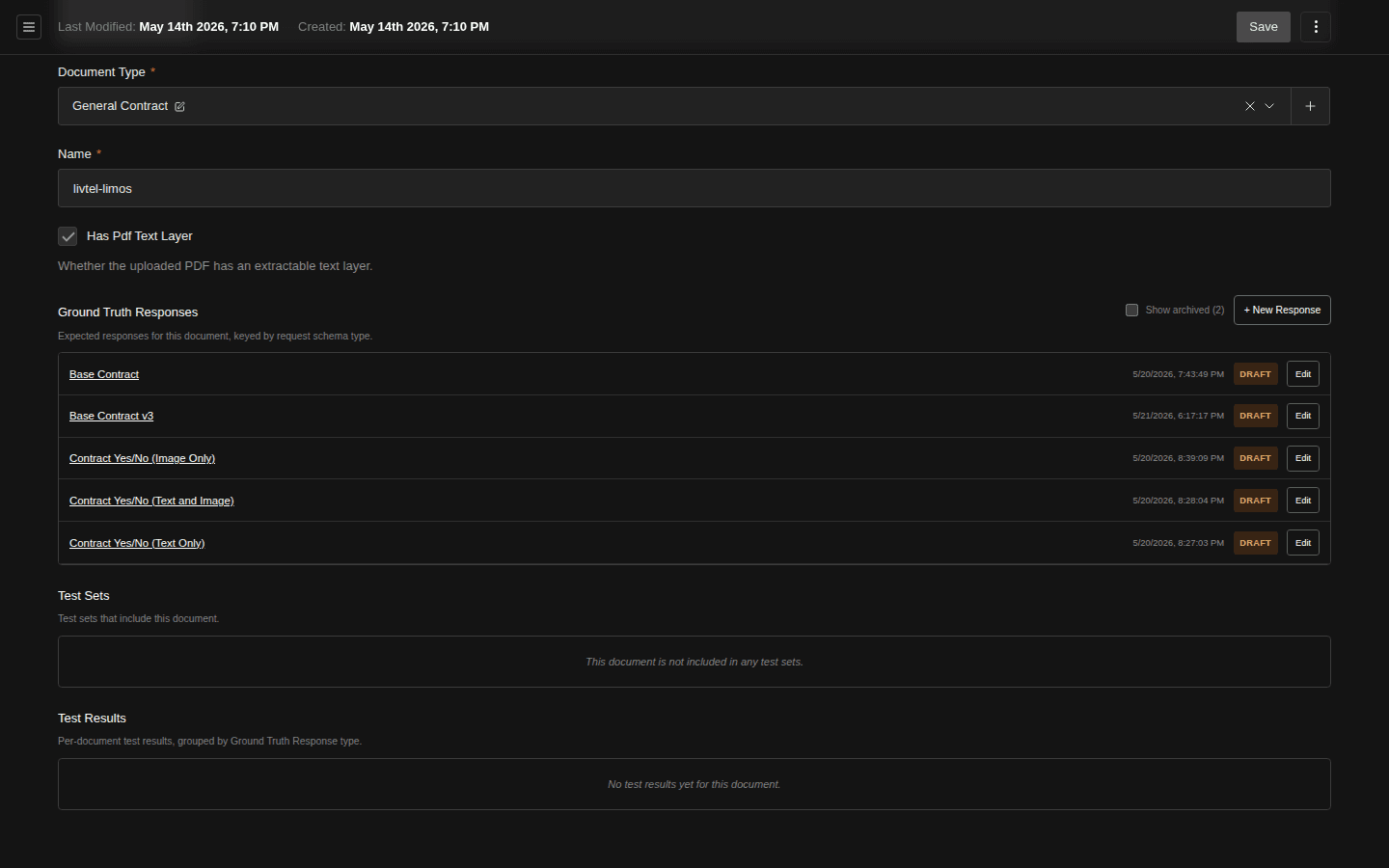
- Show archived toggle (hidden by default, with count)
- + New Response — opens a drawer prefilled with this document
- Schema-type name is a link straight into the response editor
- Status badge — Draft, Published, or Archived
2. Add a response
Click + New Response. A drawer opens prefilled with the current document. The form opens as a Draft.
3. Pick the schema type
Pick the Request Schema Type whose fields you'll be filling in. The dropdown automatically hides schema types that already have a Draft or Published response on this document, so you can't accidentally create a duplicate.
4. Fill in the expected values, field by field
Enter the correct value for every field declared on the schema. The form auto-shapes itself to the published version of the Request Schema Type, with one input per field (typed: dates as date pickers, enums as selects, nested objects as nested rows, etc.).
Fields whose allowed values come from the caller. A schema field can be marked Enum supplied by caller (see Build a Request Schema) when its list depends on the document rather than the schema — the parties on each contract, say. Such a field has no list of its own, so the editor shows an Enum sets for this response panel above the fields: enter this document's allowed values, one per line, for each such field. Three things use exactly that list:
- the field's dropdown in this editor, so the expected value is always one of them;
- every test run and pre-populate of this document, which constrains the model to the list the same way an API caller's
enumOverrideswould (Per-call enum overrides); - publishing, which requires a set for every such field and refuses an expected value outside its set — the model could never produce it.
The list is per response, so the same document can carry different sets for different schema types. Changing the set later does not rescore historical results.
5. Save and publish
Save as Draft while you're still verifying. When you and any reviewer are happy, set status to Published. Only Published responses show up in Test Set selection and participate in scoring. Saving always returns you to the parent document so you can see the updated responses list.
Reuse an existing response on a different Request Schema
You've poured a careful hour into the ground-truth answer for one Request Schema Type, and now there's a second schema that asks for some of the same fields on the same document. Don't retype it. Use Export A Copy To Another Request Schema — it creates a new Draft response under the target schema and copies over every field whose schema key and data type match.
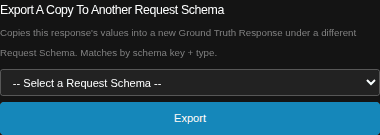
- Eligible target schemas — those with a Published version and no existing response on this document
- Export — shows a preview before anything is created
The dropdown only lists schema types that are eligible:
- They have at least one Published version (so the form can be shaped against something concrete).
- They aren't the same schema type as the source.
- The current document doesn't already have a response for them.
If the dropdown is empty, there's nowhere to export to — either every other published schema type already has a response on this document, or no other schema types are published yet.
Preview before you commit
Clicking Export doesn't create anything yet — it opens a preview modal showing exactly how the mapping will play out, broken into three groups:
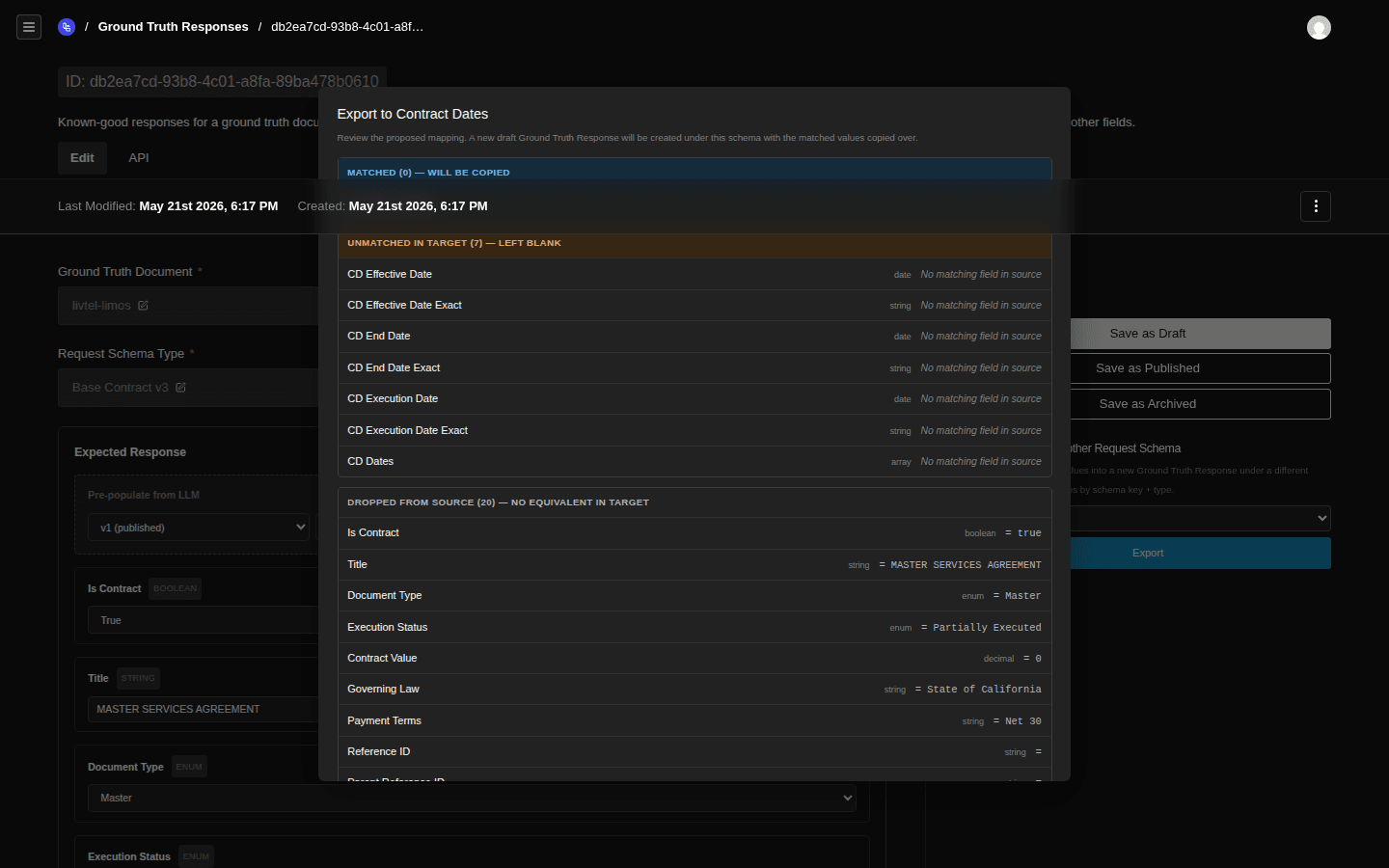
- Matched — schema key and data type both line up; value will be copied verbatim
- Unmatched in target — target has the field, source doesn't (or type differs / enum value isn't allowed) — leaves the field blank
- Dropped from source — source has the value but the target schema has no place for it — will be discarded
Matching is by fieldNameInSchema (or name if that's blank) and dataType. Type changes or key renames between schemas count as mismatches: rather than guess, the export flags them so you can decide. A few specific behaviours worth knowing:
- Enum guardrails — a string value from the source is only copied if it's in the target enum's allowed list. Otherwise it lands in Unmatched.
- Nested objects and arrays — recursed into; each leaf is matched independently. Array items keep their order.
- Type mismatch (e.g.
string→integerfor the same key) — the field is flagged in Unmatched in target, never silently coerced. Drafts and Publishedsource fields only — only fields whose latest record ispublishedare used to build the mapping; same on the target side.
Commit and clean up
When the mapping looks right, click OK — Create New Response. A new Draft response is created on the same document under the target schema type, prefilled with the matched values, and you're dropped into its edit view. From there:
- Walk through the Unmatched in target fields — those are blank and need real human-verified answers.
- Double-check any Matched values — schemas evolve, and a copied value might be subtly wrong for the new context (different units, a renamed enum, etc.).
- When you're happy, publish.
How scoring uses this
When a manual or scheduled test runs, every extracted field is compared field-by-field against the matching ground-truth response. The comparison is type-aware (an extracted 2024-03-01 matches a stored 2024-03-01 even if formatted differently in the source PDF).
Per-field scores roll up into per-document scores, which roll up into the test result set you see in View Test Analytics.
Common errors
- Schema-type mismatch — if the schema type you picked doesn't have a published version, you can't score against it. Publish a version first via Build a Request Schema.
- Field type mismatches — entering a string where the schema declares
integerwill reject on save. - "A Ground Truth Response already exists for this document and target schema type" — exporting to a target that already has a response on this document. Open the existing response from the responses panel on the document instead.
- "Target schema type has no published version" — exporting to a schema type whose only version is still in Draft. Publish a version on that schema type first.
Related
- Upload Ground Truth Documents — the upstream step.
- Assemble a Test Set — group documents (each with their responses) for evaluation.
- View Test Analytics — where the scores show up.