
Upload Ground Truth Documents
Add PDFs to your ground-truth corpus so they can be scored against extraction results from any model.
Want to know whether a model actually got an extraction right? You need a "right answer" to compare against. The first half of that — the source document — lives here.
A Ground Truth Document is a PDF you've already parsed yourself (or had a human parse), tagged with the Document Type it belongs to. Once it's uploaded, Librari Evals OCRs the text, stores the file, and lines it up to be matched with one or more Ground Truth Responses. From there it can land in Test Sets and be benchmarked against any model.
What you'll need
- One or more PDF files. Other formats may work, but PDF is the supported path.
- The Document Type you want to associate them with — create it from Schema Overview first if you haven't.
- A few seconds per document for OCR to run on save.
Walkthrough
1. Open Ground Truth Documents
From the admin sidebar, navigate to /admin/collections/ground-truth-documents. The header reads Ground Truth Documents with a brief description: Known-good parsed documents for evaluation.
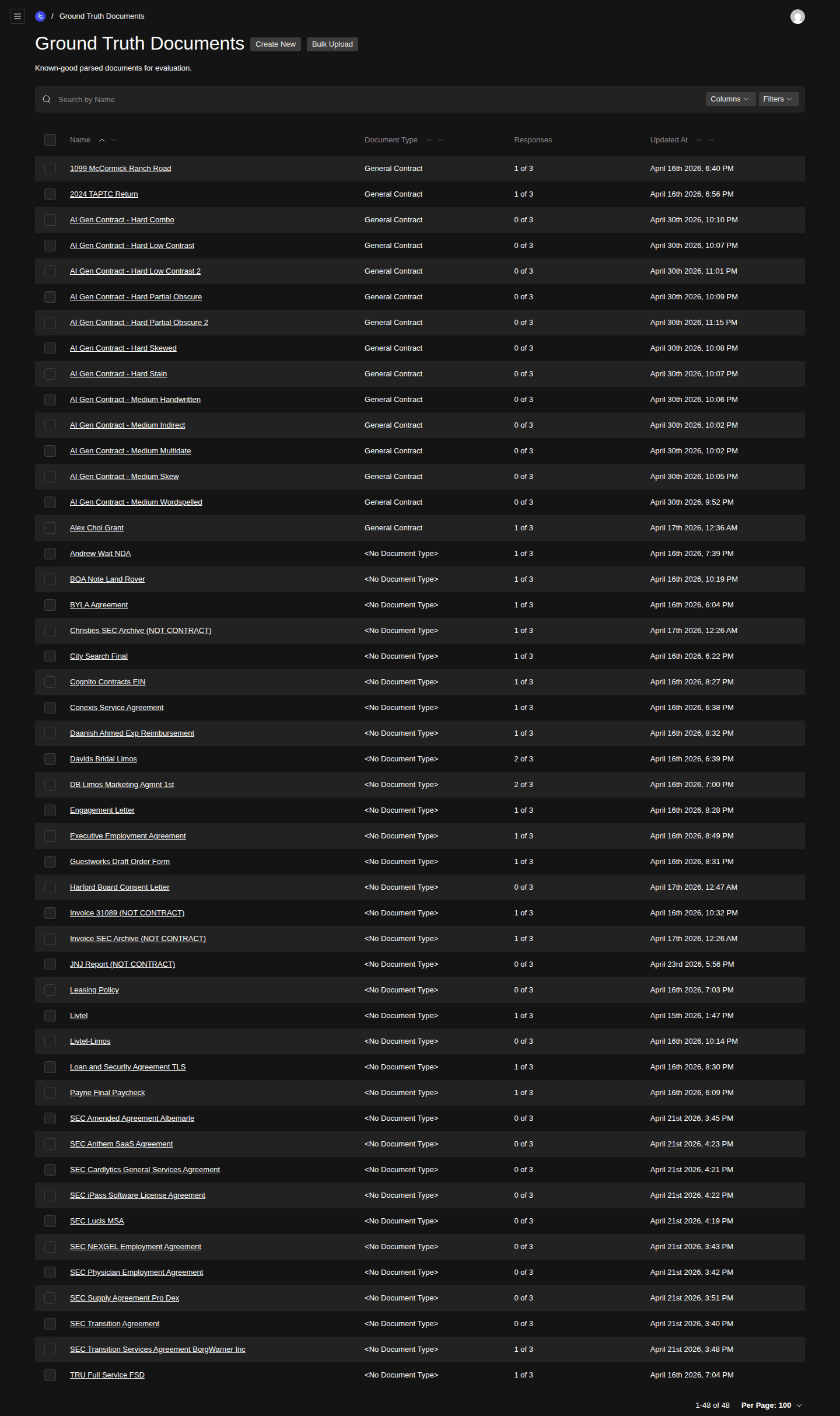
- Create New button (single upload)
- Bulk Upload button (many at once)
- Document Type column
- Responses count column (X of N)
2. Pick single or bulk
For one document, click Create New. For many, click Bulk Upload — that's the right call when you're seeding a fresh corpus or backfilling.
3. Pick the file and Document Type
In the create form, select the PDF and the Document Type it belongs to. Document Type matters — it's how schemas know which documents are eligible for scoring against them.
4. Save — OCR runs automatically
Hit Save. Behind the scenes the
ocrBeforeChangehook runs the file through the OCR service and stores the extracted text alongside the upload. Save completes once OCR is done.Large or scanned-image PDFs take longer. If save seems slow, that's the OCR.
After upload
Each Ground Truth Document is a file with text. To make it useful for scoring you need to attach at least one Ground Truth Response — the human-verified expected output for a given Request Schema Type.
After that, group documents into Test Sets and run them via Run a Manual Test or Schedule Recurring Tests.
Common errors
- OCR failures — if the PDF is image-only and OCR can't extract text, the save will return an error. You'll need a re-scan or a different copy of the file.
- Wrong Document Type — schemas are scoped to a Document Type. If you tag a contract as
Invoice, none of your contract schemas will see it.
Related
- Define Expected Responses for Ground Truth — the natural next step.
- Assemble a Test Set — once you have a few documents and responses.
Export a Schema as LangChain JSON
Grab the JSON-schema representation of a published Request Schema Version for use in your own LangChain pipeline.
Define Expected Responses for Ground Truth
Capture the human-verified correct extraction for a ground-truth document × Request Schema Type pair, so models can be scored against the right answer.